Cozi and FamilyWall both offer a free shared family calendar, but each makes different trade-offs: Cozi stays simple around a calendar and lists, while FamilyWall adds messaging, documents and paid extras. Every claim was checked against official pages on 9 September 2026, so this is a criteria-led comparison, not a popularity contest. The right choice depends on how your household coordinates, so we end with conditional recommendations and a one-week trial checklist.
Choosing between Cozi and FamilyWall for your household schedule
If your household keeps missing the same school run, appointment or club night, the question of which shared calendar keeps everyone on the same schedule often narrows to two well-known family organizers: Cozi and FamilyWall. Both give every household member one shared calendar, both have a genuinely usable free tier, and both sell paid upgrades with extra reminders, visibility and planning features. Because apps change quickly, every claim here is limited to what the official pages listed in the final section stated on 9 September 2026.
Cozi is a family organizer built around a shared calendar that every family member can use on any device, with to-do and shopping lists, a recipe library and automatic event notifications on its free tier.
FamilyWall is a family organizer hub whose free tier pairs a color-coded shared calendar with reminders, external-calendar import, shared shopping and task lists, recipes, private family messaging, a photo gallery and a contacts directory.
Publisher disclosure: this comparison is published by the team behind Proxium, a household organizer that offers its own paid family calendar, and Cozi and FamilyWall are independent products.
Quick comparison: what the official pages actually say
The table below contains only facts found on the official pages listed at the end of this article, verified on 9 September 2026. Where a row says “not stated on the official pages checked,” the vendor pages we reviewed do not currently publish that detail, so confirm it in-app or with the vendor before it affects your decision.
Criterion | Cozi | FamilyWall |
|---|---|---|
Free tier | Shared calendar, to-do and shopping lists, recipe library, automatic notifications; ad-supported | Shared calendar with reminders, external-calendar import, shopping and task lists, recipes, messaging, gallery and contacts directory |
Paid plan (US, Sept 2026) | Cozi Gold $39/year; Cozi Max $79/year | FamilyWall Premium $7.99/month or $44.99/year after a 30-day free trial |
Platforms | iPhone/iPad, Android, Windows and any desktop | Smartphone, tablet or any web browser; iPhone/iPad app requires iOS 17 or later |
Calendar visibility | Shared family calendar on every member’s device | Color-coded calendar; view one member’s schedule or the whole family |
Reminders and notifications | Free automatic notifications; Gold adds up to three reminders per event plus change notifications | Reminders included in the free calendar; Premium adds recurring or one-off schedules |
Recurring events | Not stated on the official pages checked | Premium schedules can be recurring or one-off and imported by URL (for example school calendars) |
External calendar sync | Not stated on the official pages checked | Free: import external calendars; Premium: Google and Outlook sync and calendar subscriptions by URL |
Lists, chores and meals | Real-time shared lists and chores; store recipes and add ingredients to a grocery list | Shared shopping lists, task lists assignable to members, chore checklists; Premium meal planner sends ingredients to a shopping list |
Household extras | Gold: mobile month view, calendar search, birthday tracker, Shopping Mode | Free messaging, gallery and contacts directory; Premium budget, documents with 25 GB storage and family locator alerts |
Calendar creation, event entry and household visibility
Cozi’s free tier is a shared calendar every family member can reach on any device, with automatic notifications when events are added, and its paid Gold tier adds a month view on mobile plus calendar search across past and upcoming events. FamilyWall’s free calendar is color-coded so you can view one member’s schedule or the whole family at once, and it can import external calendars with a single touch, which is useful if you are migrating from another app.
Neither vendor’s pages describe exact event-entry fields in detail, so treat entry mechanics as something to test. A useful visibility check for either app: add an event from a second adult’s account and confirm it appears for everyone on every device type you use.
Invitations, member participation and permission considerations
Cozi’s plan pages state that all plans include access for every family member on every device, but they do not publish a member-count limit or a permission matrix on the pages we checked. FamilyWall states that the whole family can access the app from a smartphone, tablet or web browser, and its official App Store listing notes that Premium features apply to the first five circles created, which implies sharing is organized in household groups called circles; granular view-only or edit controls are not described on the listing.
If children have their own devices or some members should only view, confirm the invite flow and per-member controls in-app during the trial week, because neither official page we reviewed publishes that detail.
Reminders, recurring events and schedule-change workflows
Cozi’s free tier sends automatic event notifications; Gold raises the ceiling to up to three reminders per event and notifies the family when an event is changed — useful for households that reschedule often. Cozi’s official pages we checked do not describe recurring-event behavior, so if weekly clubs or standing appointments are central to your schedule, confirm recurring support in Cozi’s current help center first.
FamilyWall includes reminders in its free calendar; Premium adds schedules that can be recurring or one-off, including school or university schedules imported by URL. Because schedule-change behavior is rarely spelled out on marketing pages, the trial checklist below includes changing an event to see who gets notified.
Lists and other household organization functions
Cozi’s free tier includes to-do and shopping lists shared in real time (chores included, per its official site) plus a recipe library where you can add recipe ingredients to your grocery list. FamilyWall’s free tier covers shopping lists that remain browsable offline in the store, task lists that can be private or shared and assigned to specific members, chore checklists for kids and recipes you can store or import from the web; its Premium tier adds a meal planner that sends ingredients to a shopping list in one click.
Lists matter more than they first appear: if your household runs on a shared grocery list or chore rotation, the app that handles lists the way you work will feel like the winner even when the calendars themselves are similar.
Platforms, accounts, free-plan limits and paid features
Cozi runs on iPhone/iPad, Android, Windows and any desktop computer, according to its official site, and its plan page says the free version is available on any device with access for every family member. The free tier is ad-supported; Cozi’s pages describe Gold as the ad-free upgrade. Cozi Gold costs $39/year and adds the mobile month view, calendar search, up to three reminders per event, calendar change notifications, a birthday tracker and Shopping Mode; Cozi Max costs $79/year and adds AI-assisted features such as turning emails into calendar events, a recipe creator and a meal planner.
FamilyWall states the whole family can access the app from a smartphone, tablet or any web browser; its App Store listing specifies the iPhone/iPad app requires iOS 17 or later. FamilyWall Premium is $7.99/month or $44.99/year in the US after a free 30-day trial and adds budget tracking with per-category limits, a meal planner, family documents with 25 GB of storage, recurring or one-off schedules with URL import, Google and Outlook calendar sync, calendar subscriptions by URL, a family locator with arrival and departure alerts, and audio and video messaging; Premium benefits apply to the first five circles. Prices are as of 9 September 2026 — confirm the current amount in your own app store before subscribing.
Decision guide: when each app may fit
Cozi may fit when you want one straightforward shared calendar with lists and recipes, the ad-supported free tier is acceptable, and the flat $39/year Gold plan covering the whole family appeals — especially for its mobile month view, calendar search and change notifications. Windows and desktop access also helps if part of the family rarely uses a phone.
FamilyWall may fit when per-person color coding matters, when you want messaging, a gallery and a contacts directory beside the calendar, and when Premium features you would actually use — Google and Outlook sync, budget limits, shared documents, locator alerts or imported school schedules — justify the subscription.
A general shared calendar may be enough when only a few people need to see the same events and you do not rely on shared lists, chores or meal planning in the same app. In that case, start free with the calendar you already have and revisit a dedicated organizer only when real events fall through the cracks.
Proxium is one example of that bundled shape: according to its product pages, its calendar offers day and month views with color-coded events and icons, and the paid tier adds recurring events, reminders and a Family Calendar that household members share in real time with per-member attribution.
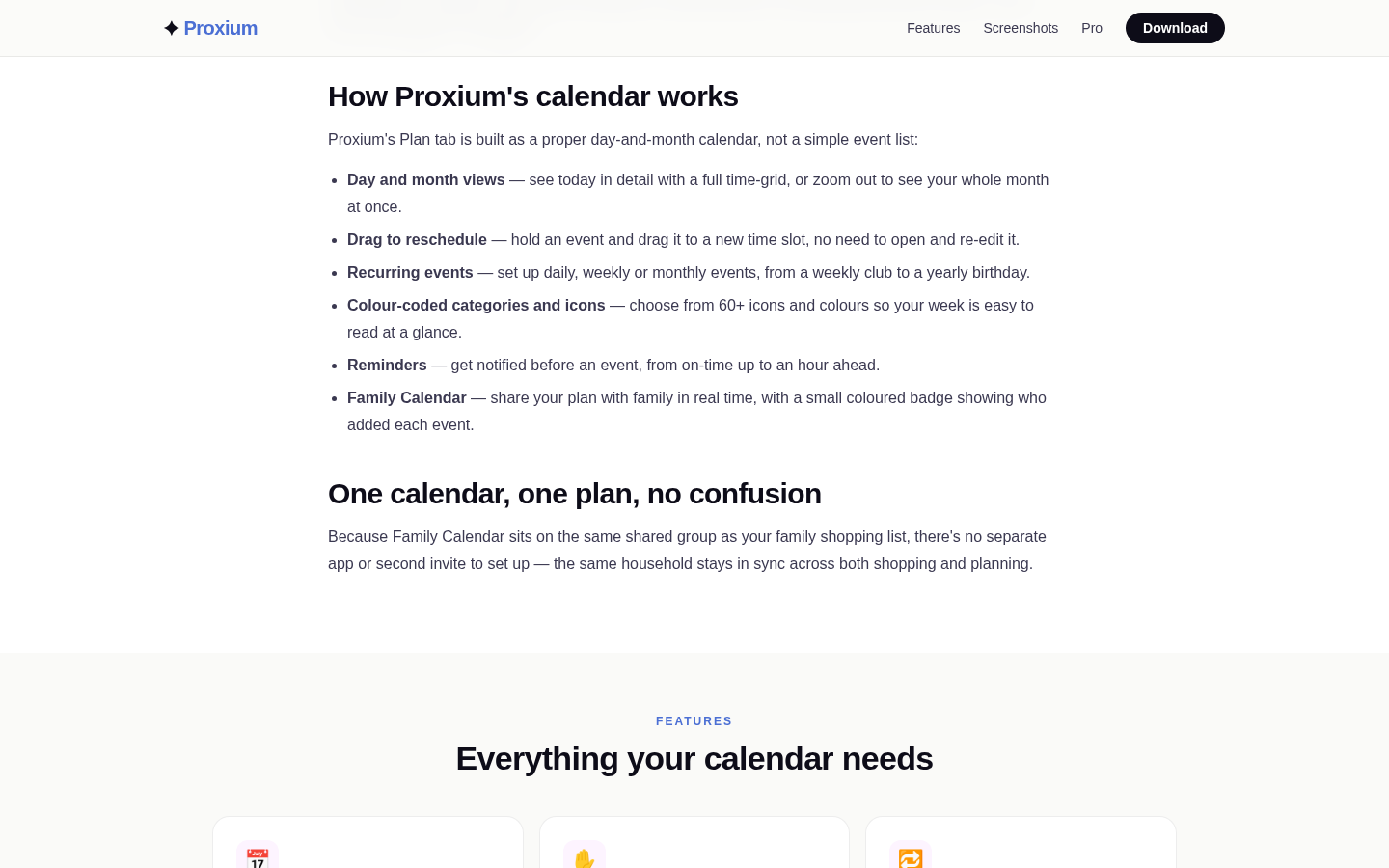
Below-fold section on the calendar feature page showing 'How Proxium's calendar works' with 6 bullet points: Day and month views, Drag to reschedule, Recurring events, Colour-coded
Migration and trial checklist: one week of real events
Whichever app looks better on paper, run a one-week trial with real household events before paying for anything:
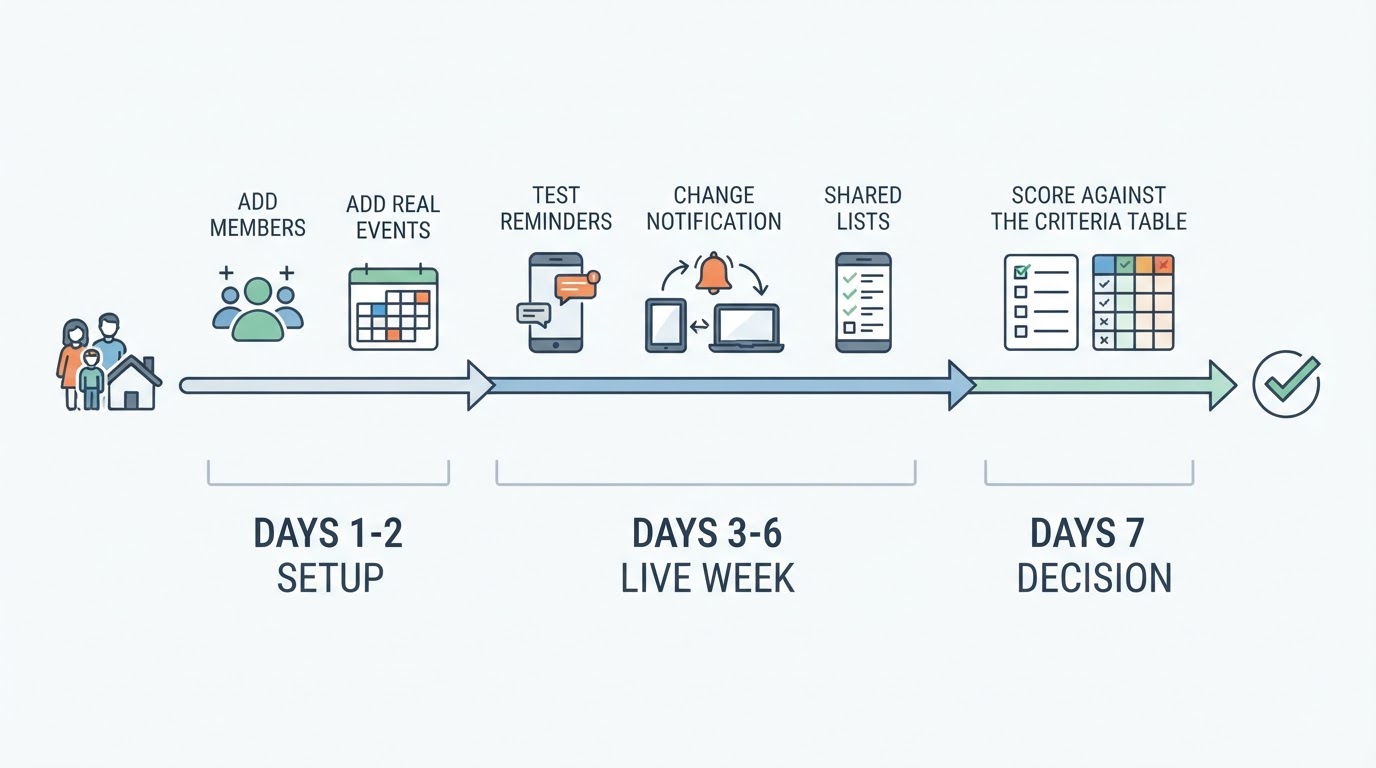
- On day one, add every adult who manages events — and older children who should see the schedule — as members, and note exactly what joining requires.
- Enter the coming week’s real events: school runs, clubs, appointments, deadlines and anything else already on a calendar or in someone’s head.
- Add one recurring commitment you genuinely rely on and note whether your chosen free tier handles it.
- Set a reminder, then change one event and confirm who is notified and how quickly.
- If lists are part of your household, share a real grocery list or chore list and have a second member add to it.
- Use the app on each device type in your home — phones, tablets and a web browser — and check that a second member’s events are visible where you expect them.
- On day seven, score the app against the table above — participation, reminders, recurring events, lists, platforms, free limits and paid features — and decide before any trial renews. FamilyWall Premium begins with a free 30-day trial that then renews as a subscription per its App Store listing, so set a reminder to cancel in good time if it is not for you.
If your trial week shows that a bundled calendar-plus-planning app fits your household better than a standalone organizer, Proxium’s shared family calendar is worth evaluating on the same criteria; if a plain shared calendar already keeps everyone on the same schedule, staying put is a perfectly good answer.
Fact-check date, limitations and official sources
Facts above were checked on 9 September 2026 against the official pages listed below, and every claim in this article traces to one of them. Where a detail was not stated on those pages, we labeled it rather than guessing. Prices are in US dollars, change over time and may differ by region or store. We did not run the apps under controlled testing, and we did not treat user reviews or testimonials as evidence. Confirm current plan terms, privacy policies and platform requirements with the vendors before subscribing.
Official sources checked: