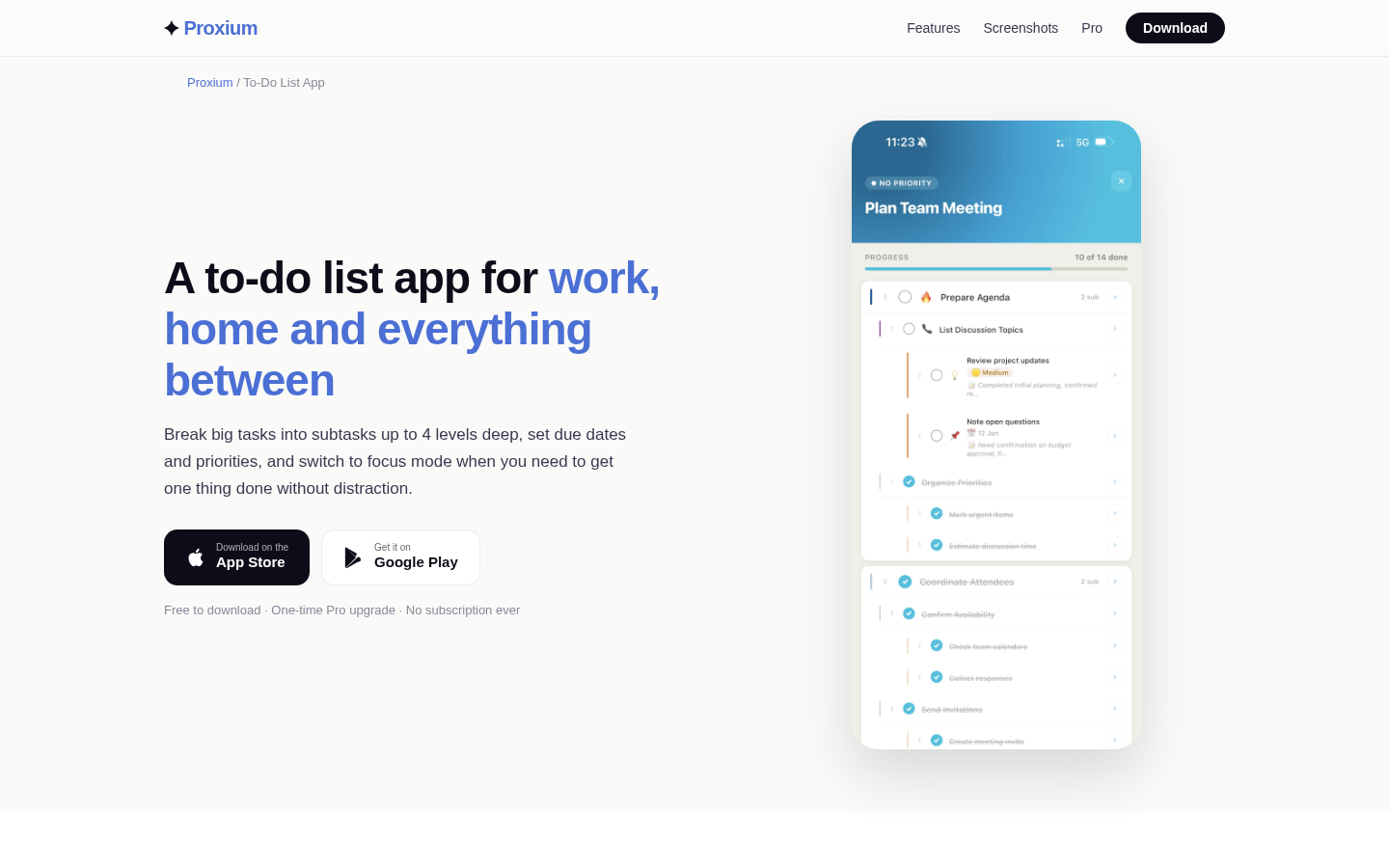
How to Set Up a Shared To-Do List App Where Kids Can Check Off Their Own Chores
A shared to-do list app where kids can check off their own chores is one of those ideas that sounds simple until the second week, when the chart stops being looked at and the reminders get ignored. The difference between a list that works and a list that dies on the fridge is rarely the app. It is how the chores are written, who owns them, when they are due, and what happens after a child taps the checkmark. This guide walks through each of those decisions so children can run their part of the list and caregivers keep the final say.
When a shared chore list is useful for children
A chore list earns its place when it replaces repeated asking with a visible answer. Instead of "What am I supposed to do?" and "When?", the list answers both at a glance. MyChoreBoard describes a chore chart as a visible agreement about what needs to be done, when it needs to happen, and how progress is recognized - and that agreement is what makes the list a tool rather than a nagging device.
That matters most when a child has enough independence to complete tasks alone but not yet enough routine to remember them without help. A shared list also gives children a place to see their own progress and creates a shared reference point when expectations are forgotten. Note what this list is not for: it is not about calculating a fair division of adult household labor. Keep the scope on the child's own contributions - their room, their belongings, and shared tasks they can genuinely complete - and the list stays easy to run.
Choose tasks and wording a child can actually understand
The fastest way to kill a chore list is vague wording. "Tidy your room" can mean ten different things to a child and one thing to you. Star Chart Kids puts it plainly: a chore a child cannot picture is a chore they will not start. Write tasks as short actions with a clear object: "Put dirty clothes in the hamper", "Clear your plate to the sink", "Feed the cat".
A few practical rules for choosing tasks:
- Start small. Three to five daily items is plenty for a first list; you can always add more once the routine holds.
- Pick tasks the child can learn. If an item needs steps they have never done, teach the steps together before adding it to the list.
- Use pictures or icons for pre-readers, and short text for children who read.
- Match tasks to what this child can handle now - their experience and skills matter more than a calendar age. Avoid lists that group chores purely by age, because children develop at very different speeds.
- Separate personal routines (getting dressed, brushing teeth) from household chores (clearing dishes, feeding a pet) if mixing them gets confusing.
Give every chore an owner and a definition of done
Two fields make a shared list run without arguments: an owner and a definition of done. Every item should have exactly one owner - when two children are both "responsible" for the same chore, neither one feels it. For shared jobs, rotate the owner weekly instead of leaving ownership fuzzy.
The definition of done says what finished looks like. Write it in the item's notes or next to the task name: "Dinner dishes in the dishwasher, counters wiped" is checkable; "clean the kitchen" is not. If a child checks off a task that is visibly half-done, the wording, not the child, is usually the problem. Tighten the definition and try again.
Set frequencies and visible due times
Chores that run "whenever" run never. Give each item a frequency and a due time that the child can see next to the task: daily before breakfast, Mondays after school, Sunday before dinner. In an app, recurring schedules do this work for you - the same item reappears on the right days without anyone rewriting the list. A simple weekly rotation also adds variety without adding mental load: vacuuming on Monday and Thursday, trash on Tuesday, bathroom on Saturday.
Keep the total realistic. A child who sees ten due items on a school night will not start any of them. Two or three daily tasks plus one weekly task is a sane first schedule, and it is easier to add later than to remove without resentment.
Let children check off their own work
This is the heart of the arrangement: the child taps the checkmark, not the caregiver. Self-checking gives the child control over their own record and makes progress visible - a child needs a place to look instead of making the parent the only source of instructions.
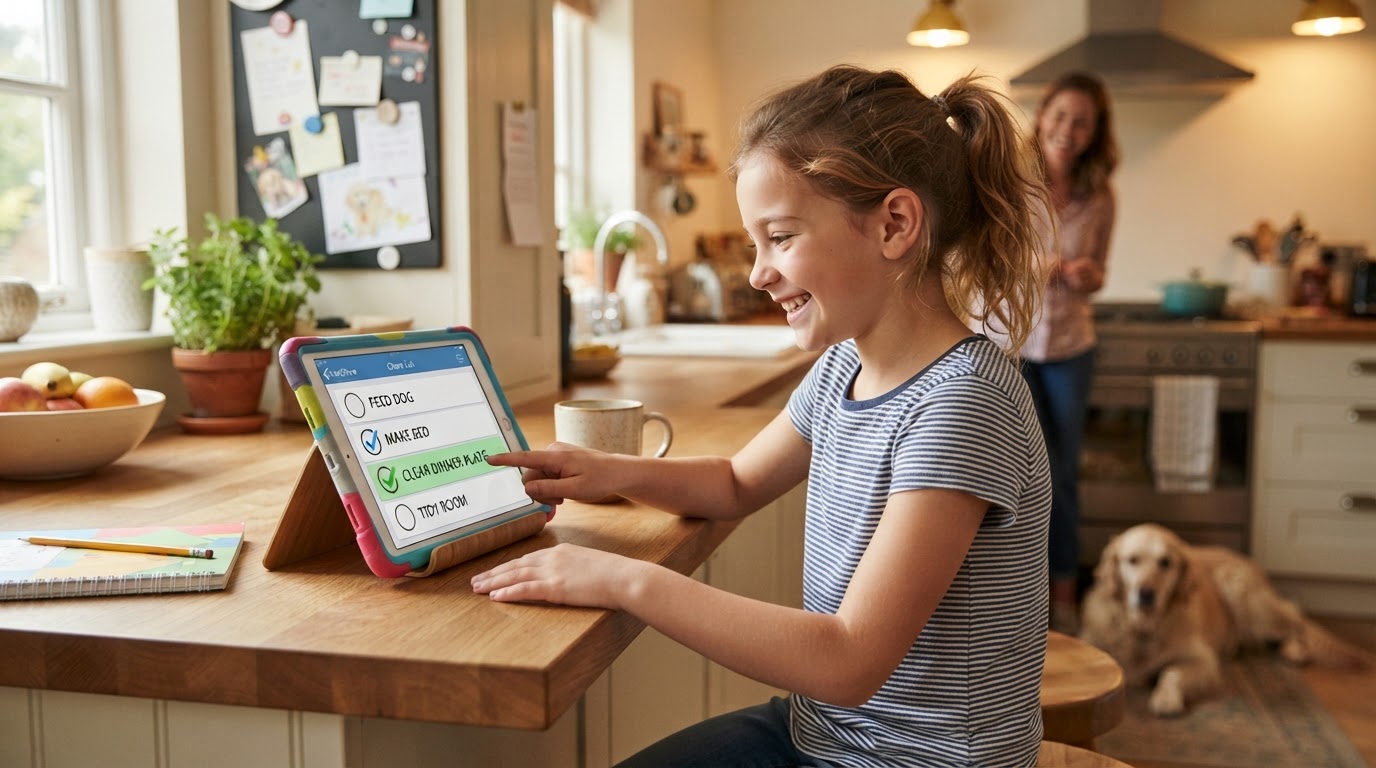
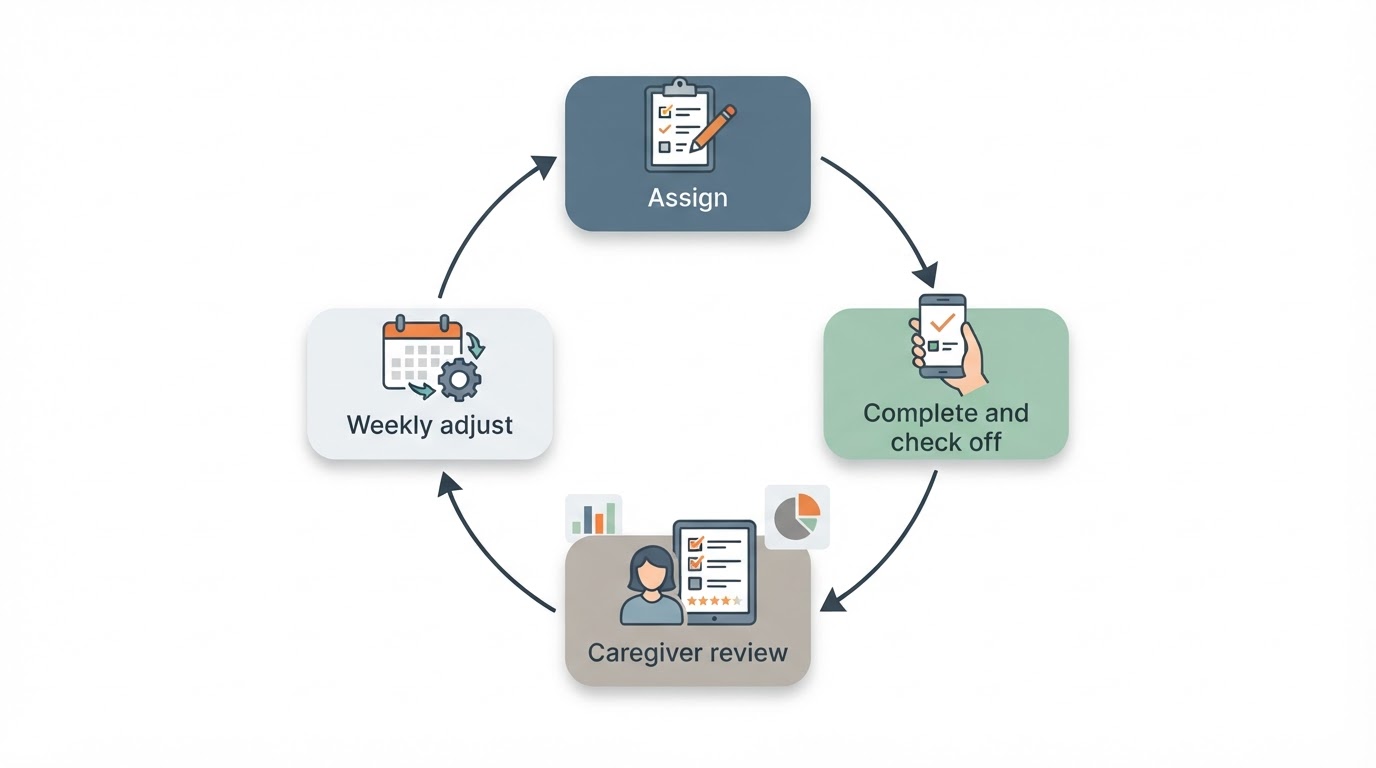
Oversight still belongs to the caregiver, just at a set moment rather than in real time. A workable pattern is a review window: children can check off completed chores any time during the day, and the caregiver confirms the day's list once, at a predictable time such as after dinner. If a checkmark was premature, treat it as a wording problem first: ask the child to show you what they understood as done, then decide whether the item needs a clearer definition. Do not quietly redo a child's work. If a task needs another pass, say what is missing and let the child finish it - that keeps the checkmark honest without erasing their effort.
Use reminders without creating notification overload
Notifications help most when they arrive at action time and least when they pile up as background noise. A few principles keep reminders useful:
- Remind at the moment of the routine: "before breakfast" tasks get a morning reminder, not a noon one.
- Prefer one reminder per chore over several nudges for the same item. If a reminder does not change behavior, remove it rather than adding another.
- Batch the rest into a single evening check-in instead of per-item alerts through the day.
- Decide who receives notifications. If the child uses their own device under your control, the reminder can go to them; otherwise one reminder to the caregiver's device is enough to prompt a shared look at the list.
- Recurring schedules reduce notification count over time, because the list itself stays current and children learn where to look.
Review incomplete or disputed chores constructively
The weekly review is where the list gets better, and it should feel nothing like a lecture. Set aside ten minutes once a week, open the list together, and ask two questions: what was easy this week, and what kept getting missed? Then adjust the list - remove items that are too vague, move due times that collide with activities, swap tasks the child has outgrown. Star Chart Kids warns against punishing with the chart: taking rewards away turns a motivation tool into a threat, and a missed day is best followed by a fresh start tomorrow.
When a chore is disputed, the child's explanation matters. If they describe a different definition of done than the one you intended, rewrite the item together. If they simply did not get to it, the fix is usually structural - fewer items, an earlier due time, or a reminder at the right moment - rather than a firmer tone. Keep the review on the system, not on the child's character.
Evaluate apps for accessibility, account controls and privacy
Before choosing an app for a shared family list, verify the practical details from official sources - the developer's own site, the app store listing, and the published privacy policy. Check the app's age requirements, account controls (whether child profiles exist or a child would use an adult's account), privacy terms, notification behavior, and which devices it supports. Do not rely on a friend's recommendation or a marketing page for these facts; they change, and the official sources are the only ones that bind.
A dedicated children's chore app is one option, but it is not required. A general to-do app can host the same list when a child checks items off on a shared or supervised device. For example, Proxium's Tasks & To-Dos feature supports due dates, priorities, subtasks and notes - enough structure for a family list - but it is a general household task tool, not an app designed for children, so confirm its age requirements and account controls yourself before letting a child use it. Whichever route you take, write the list with the child's reading level in mind and keep the check-off action within their reach.
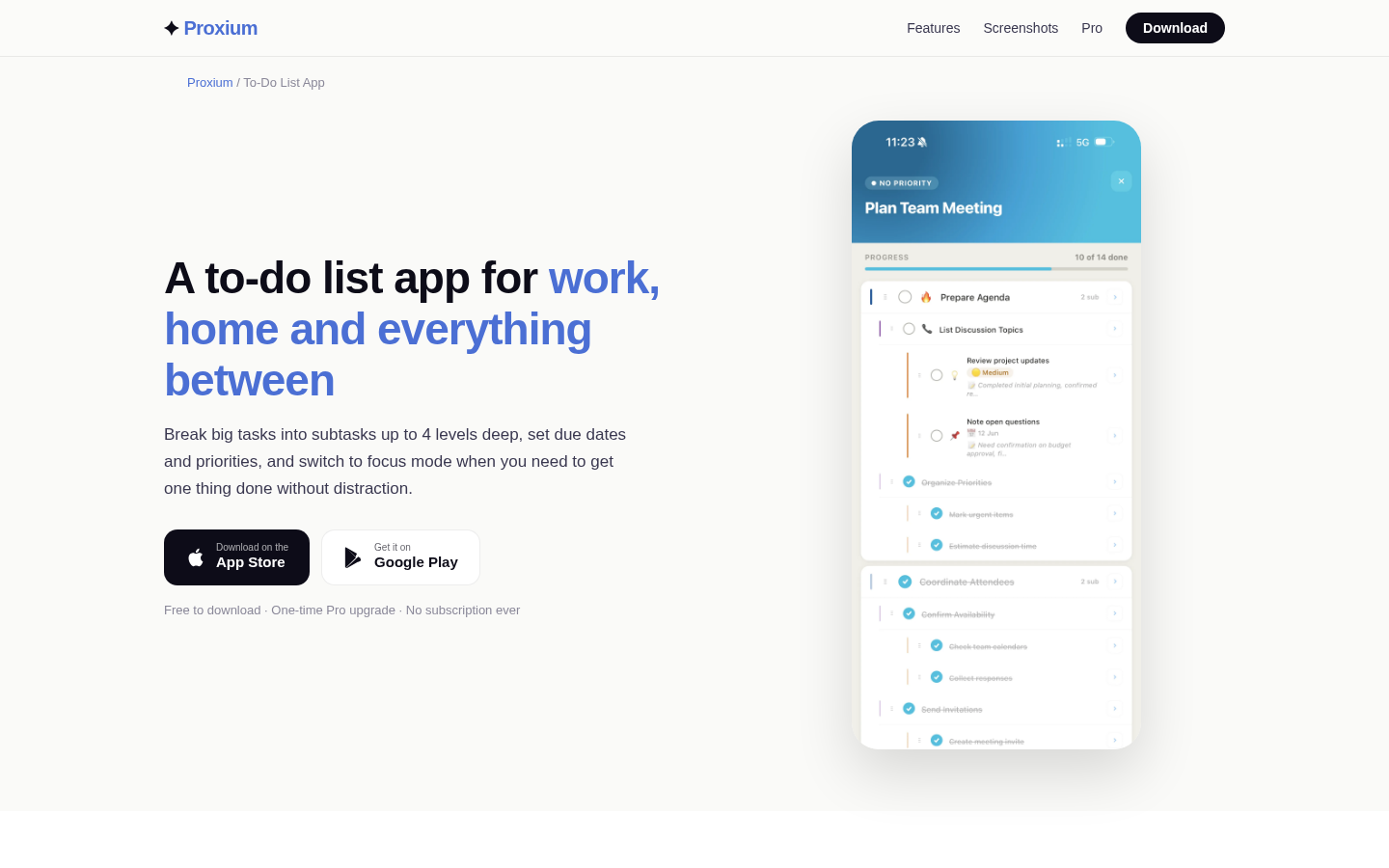
Feature landing page for to-do list app with subtasks, due dates, priority levels, and focus mode.
A sample child-friendly chore-list structure
Here is a generic structure you can copy into any app or paper chart. It uses owners, repeat rules, due times and definitions of done - and deliberately attaches no ages to the chores, because the right task depends on the individual child.
Chore | Owner | Repeats | Due | Done looks like |
|---|---|---|---|---|
Put dirty clothes in the hamper | Child | Daily | Before breakfast | All clothes from the floor and bed are in the hamper |
Feed the cat | Child | Daily | After school | Bowl filled, water topped up, no spills left |
Clear own plate | Child | Daily | After dinner | Plate and cup in the dishwasher or sink, place wiped |
Pack school bag | Child | Weekdays | Before bed | Homework, water bottle and jacket are ready by the door |
Sort laundry into two piles | Child | Mondays | Before 6 pm | Lights and darks separated on the laundry-room floor |
Empty the small bins | Child | Saturdays | Before lunch | Three bins emptied into the main bin, liners back in |
Start with two or three of these, put the list where the child actually looks, and hold the weekly review. The checkmarks will tell you quickly whether the wording works - and the review tells you what to adjust for the week after.